Interactive educational games can look great in a demo and still be difficult to use in everyday sessions. Over time, we’ve found that what matters most is not “more effects”, but a predictable structure, calm design, and materials that support the person running the activity.
This article looks at Motioncube collections through seven aspects that affect everyday delivery. It also offers practical takeaways for anyone deciding on interactive educational content for schools, therapy settings, or public spaces.
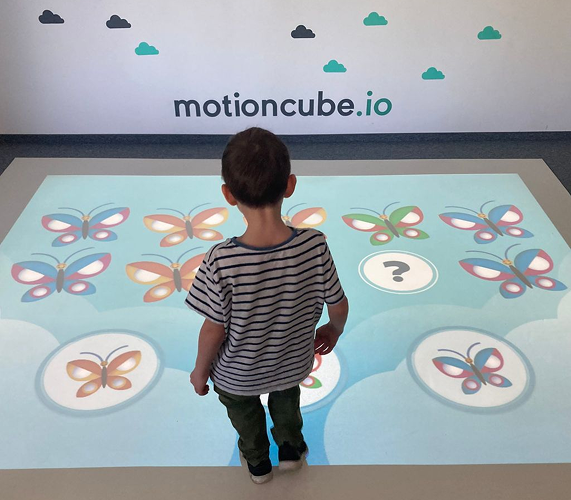
The interactive environment for educational purposes
1) Collections built around subjects, with a clear learning intent
Instead of offering a long list of unrelated titles, Motioncube apps are grouped into subject-focused collections. Depending on the topic, a collection can include 8 to 56 applications.
Examples of collection themes include:
- ecology
- mathematics
- English language learning
- logic
- coding
- board games
- visual perception (often used in therapeutic or remedial contexts)
The goal is straightforward: keep the learning objective visible, while using game mechanics that make repeated practice feel natural.
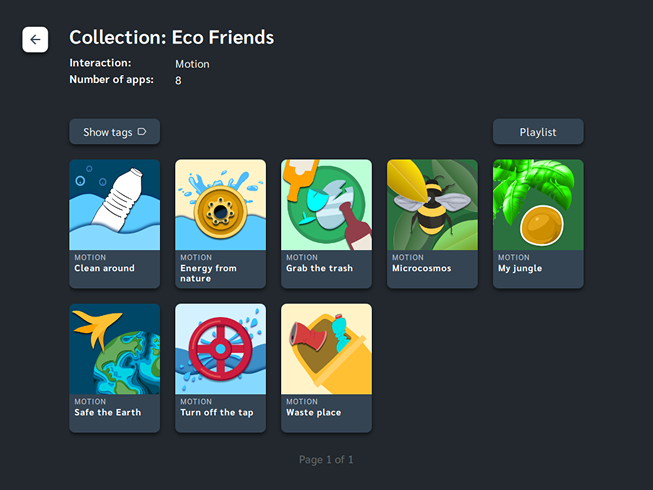
Clean collection overview with grid of apps. Example "Eco Friends" collection.
2) Visual consistency that reduces distraction
In many game libraries, each title looks as if it comes from a different source. That can be fine at home, but in group settings it often creates unnecessary cognitive load.
Within a Motioncube collection, applications are designed to feel like one coherent set:
- a consistent visual language across the collection
- emphasis on readability (clear shapes, legible text, predictable UI)
- a low stimulus level, avoiding “noise” and unnecessary visual or audio distractors
This matters in particular when apps are used with younger children, learners with attention difficulties, or in therapy-adjacent contexts where overstimulation can quickly become a barrier.
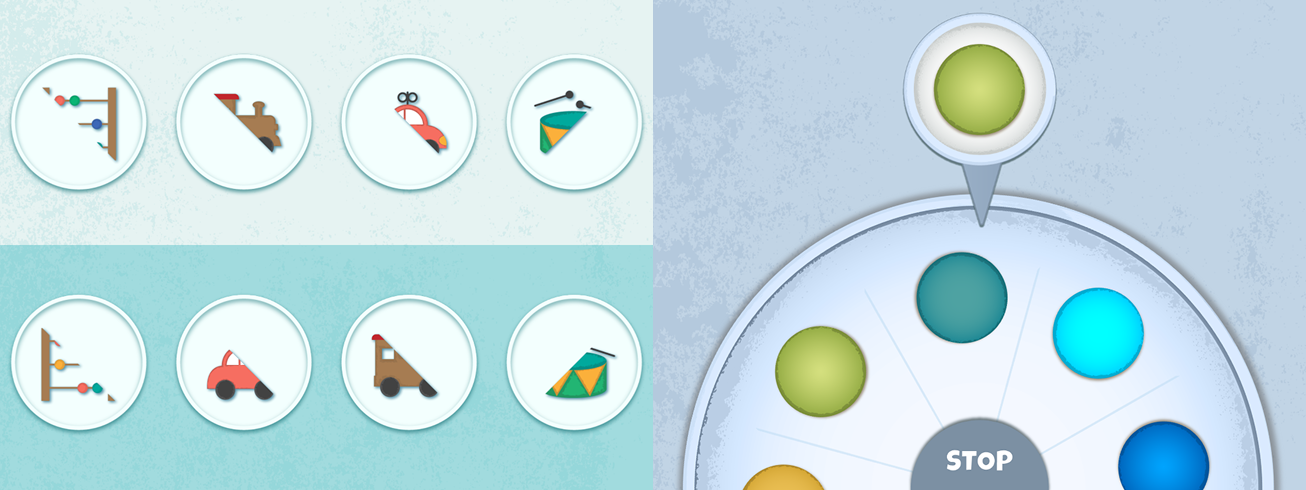
Consistent style of games within the collection. Example screenshots from "Happy Stones" collection.
3) Interaction methods that fit different environments
Not every space works well with the same way of controlling a game. Some rooms have enough space for full-body movement; others are better suited to precision tools or seated activities.
Motioncube collections are assigned a primary interaction method, and the wider library covers different modes, for example:
- full-body or hand-based control (roughly 50% of apps)
- IR pens (precision interaction) (about 35% of apps)
- RC vehicles
- virtual arcade-style controllers (hand interaction with on-screen controls)
- other options such as tablets, gamepads, or smartphones
- selected titles designed for ball interaction
The point of this mix is practical: you can choose apps that match your room, your audience, and your facilitation style.
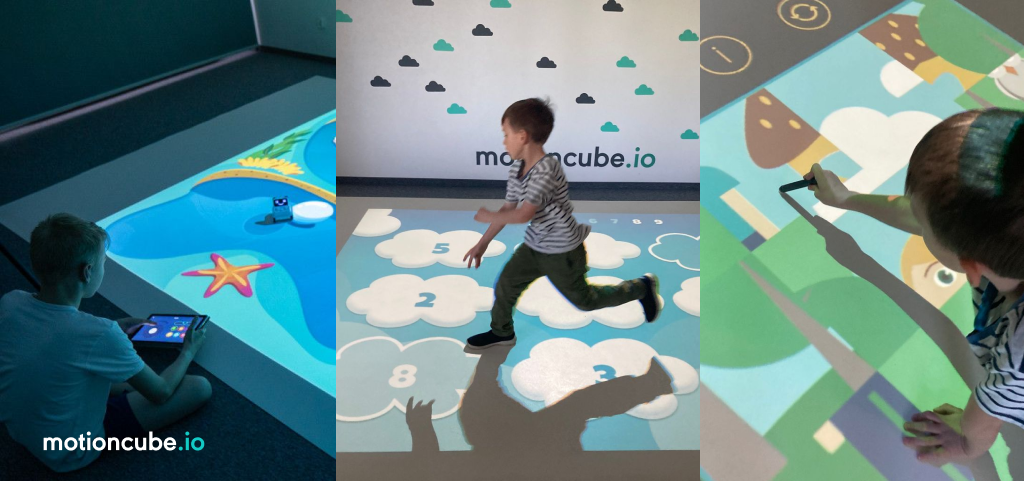
RC-vehicle, body movement, or pen-interactive games - a practical mix for interactive classes.
4) Localised UI and automatic translations where they help
When interactive apps are used in schools, centres, or public venues, language quickly becomes part of accessibility.
Motioncube supports:
- a user interface localised into multiple languages (including Spanish, English, German, Polish, Slovak, Czech, and Ukrainian)
- automatic translations into several dozen languages (including Arabic, Bulgarian, French, Italian, Netherlands) for key content, including:
- game descriptions
- in-game interface elements
- in-game instructions
- the device’s main menu / operator UI
This helps teams run the same content with groups who speak different languages.
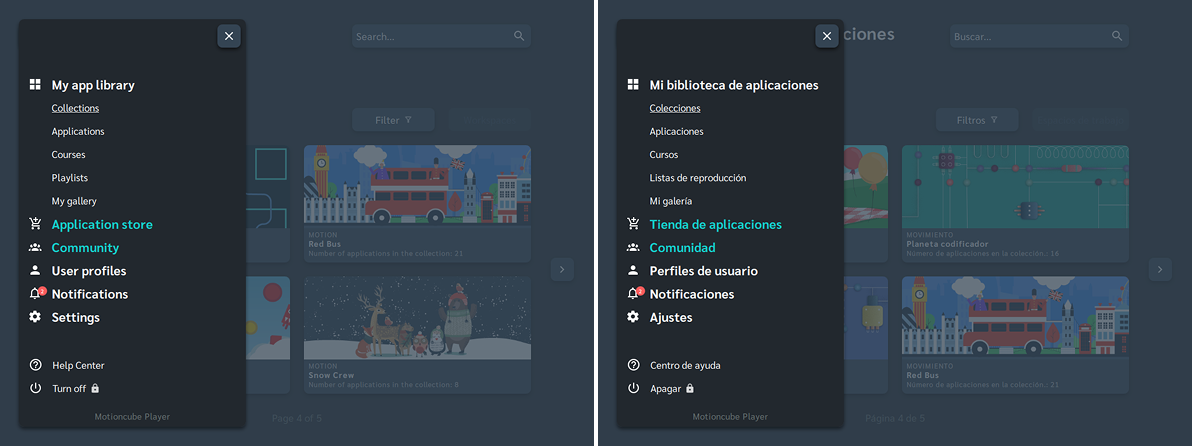
The same menu shown in two languages (English and Spanish)
5) Designed by a team that prioritises usability over decoration
The strongest learning activities often look simple. That isn’t accidental - it is usually the result of removing things that do not help.
Apps are built with UX considerations that matter in real use:
- readability and clarity
- responsiveness (the system should feel direct, not laggy or confusing)
- low-distraction design
- consistent behaviour across titles
The development process also benefits from domain input - people who work with learners and can spot problems early: teachers, psychologists, UX testers, and representatives of the target user group.
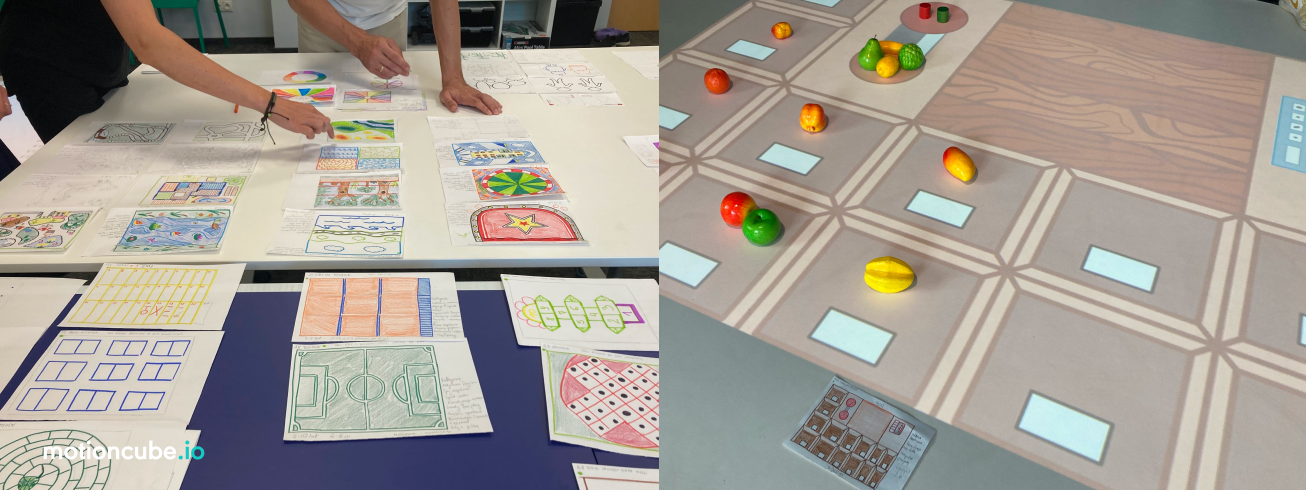
Behind-the-scenes shots: design -> test & refine
6) Teaching materials that reduce preparation time
Interactive games are easier to adopt when the facilitator does not have to invent everything from scratch.
Depending on the collection, supporting materials can include:
- a collection guide
- descriptions of each application
- screenshots and short video for the collection
- short clips for individual apps
- ready-to-use lesson plans (especially for specialist coding collections or remedial activities)
- a help centre for operators
- printable add-ons for children (worksheets or simple activity sheets used alongside the screen experience)
The intention is straightforward: make it easier to run a session well, not just to launch an app.
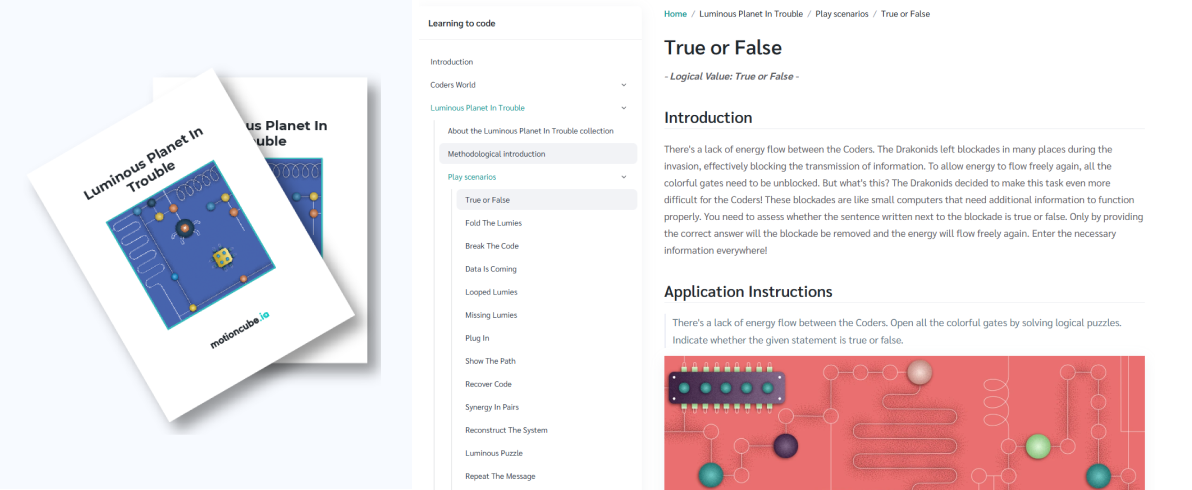
PDF guide for the collection and the Help Centre for teachers
7) Classification for planning, filtering, and session flow
When you have dozens of activities in a library, the “what should we run next?” moment matters.
Motioncube apps are classified by play format:
- individual
- in pairs
- team-based
They are also grouped by audience, for example:
- ages 3–5 and 6–10 (pre-school and early education)
- 10+ (primary school and teens)
- seniors
- all ages
Within a collection, apps are tagged for easier filtering - useful when you need something specific (for example: memory practice, colour recognition, calmer pace, cooperative play).
You can also create your own playlists (beyond the default ones), choosing the exact order and duration of games.
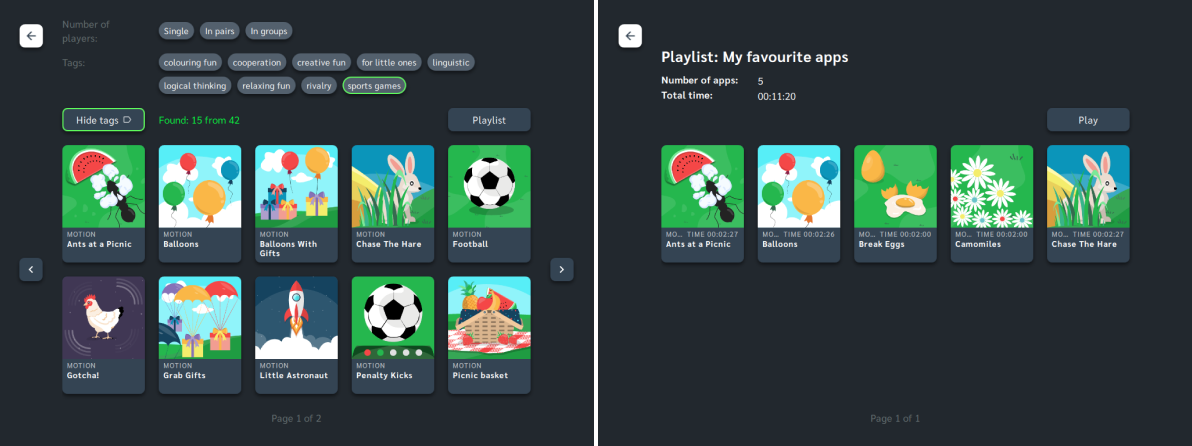
Tags in the "Little Steps" collection used for quick filtering of games and a custom playlist example.
Practical takeaway
If you are choosing interactive educational content for a school, therapy setting, or public space, it is worth looking beyond “how fun it looks” and checking:
- whether the collection has a coherent structure
- whether the design reduces distraction
- whether the interaction method fits your room
- whether you get materials that support real sessions
- whether it is easy to filter activities and plan sessions for a group
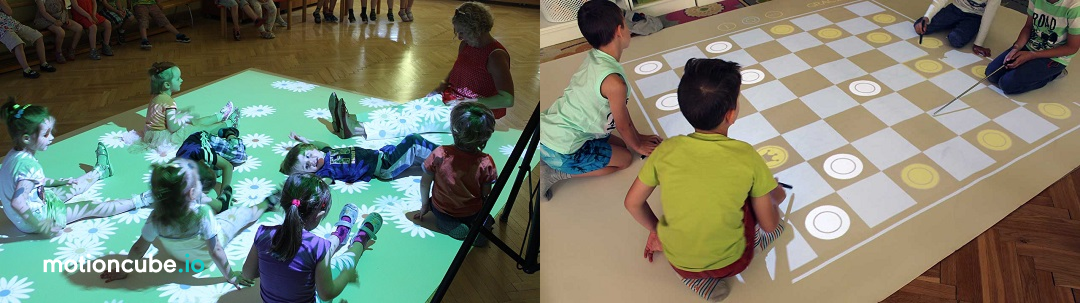
On the left - relaxing session in a kindergarden. On the right - draughts gameplay in a primary school.
--
LavaVision Team - creators of Motioncube.io educational and interactive apps
