Display games on the interactive floor
Motioncube interactive projection
357,50 US$ inkl. moms 0%
Vi besvarer forespørgsler inden for 1 hverdag — du modtager tilbuddet på e-mail.
Vil du købe online med det samme? Det kræver kun en konto: log ind eller opret en konto
Onlinebetalinger: betalingskort eller PayPal. Bestillinger via e-mail og tilbud kan også betales via bankoverførsel. Se mere information om, hvordan du bestiller Motioncube-applikationer.
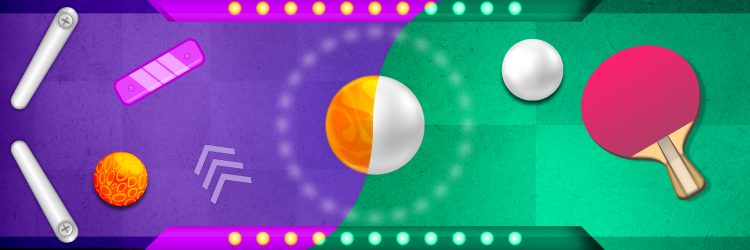
Discover the latest gaming console – an innovative game mode on the interactive floor!
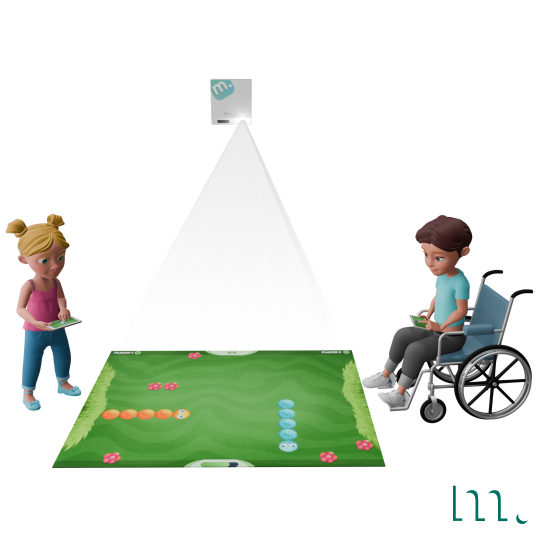
Utilising projection technology and mobile screens, we offer a new way to interact with games in Motioncube. Control your games by simply tapping your phone's screen.
Gameplay takes place on the interactive floor, while game controllers are displayed on mobile devices – phones or tablets. Enjoy intuitive control without needing to look at the screens, and experience precise, real-time interaction.
Download the free mobile app and play with friends on this modern console!
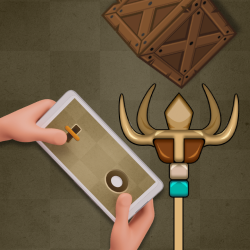
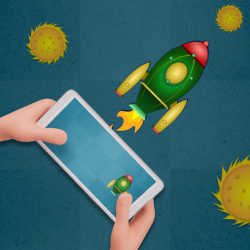
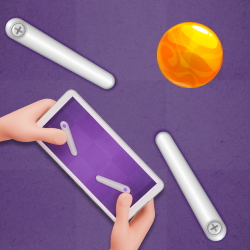
The game is displayed on the floor surface. Players control it using joysticks displayed on their phones.


Click on the image to enlarge it
Motioncube interactive projection
Free app for smartphones, tablets

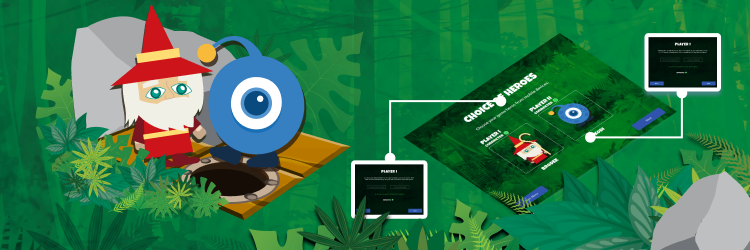
Two-player competition
The games are intended for students, teenagers and adults .
They provide entertainment, develop eye-hand coordination, reflexes and analytical skills.
Thanks to the control on mobile pads, they enable fun and healthy competition in various spaces. The game package can also be an interesting and unique tool in:
Users can choose from 12 interactive Arcade games that require thinking and dexterity .
We have games in which we precisely control a disc, send darts at the right moment, change the direction of the wheels to stay on the track, position a frog at the right angle to reach a fly, change the direction of a snake, etc.
Games are timed or number of lives. There's something for everyone here!
See the full list of games in the next section.
Players constantly observe the playing field on the floor, while simultaneously moving their fingers on the phone screen. When controlling on the phone, there is no need to look at the screen, because the operation is intuitive. Each game has a different way of controlling to provide a variety of finger movements .
You can launch the games on the projection floor setup with Motioncube Player. To control, you need two phones (or small tablets) with the mobile app installed. You can download the app to your phone for free by scanning the QR code displayed on the floor.
The mobile app will automatically connect to the game and display the appropriate control gamepad.
12 interaktive apps i pakken
While playing with the Arcade Champions on Mobile Pads, you can develop, among others:

Launch the game on an interactive floor and control the gameplay on your smartphone.
Kontrollér, hvilke eksterne tjenester der kan behandle dine data.
Disse funktioner er nødvendige for, at hjemmesiden fungerer korrekt, og kan ikke deaktiveres.
Nødvendig til indsamling af aggregerede statistikker, der hjælper os med at forstå, hvordan brugere anvender vores hjemmeside. Data er fuldt anonyme, indeholder ingen personlige oplysninger, og vi bruger ikke cookies.
Gør det muligt at analysere trafikkilder (hvorfra du kom til siden), marketingkampagneparametre (UTM) og navigationsforløb mellem underdomæner. Vi bruger en cookie (7 dage) til at bevare disse data.
Tillader indlæsning af indhold fra eksterne tjenester som YouTube eller Vimeo.