Foot movement interaction
on the floor surface
US$ 0,00 incl. BTW 0%
We reageren binnen 1 werkdag — je ontvangt de offerte per e-mail.
Wil je direct online kopen? Daarvoor is alleen een account nodig: log in of registreer
Online betalingen: betaalkaart of PayPal. Bestellingen per e-mail of offerte kun je ook per bankoverschrijving betalen. Meer informatie over het bestellen van Motioncube-applicaties.
To meet the needs of interactive agencies and multimedia integrators, we have prepared a set of test applications for free download.
Using them, you can check your hardware configuration and select the optimal operating parameters of the Motioncube Player program.
This package allows you to quickly familiarize yourself with the capabilities of both the Motioncube software and the applications themselves, as well as templates.
We provide this test package without pop-up ads and without limited game time.

on the floor surface

on the table and wall surfaces

on the wall surface
with your hardware setup
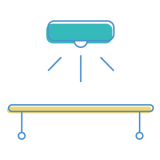
with your hardware setup

with your hardware setup

14 interactieve applicaties in het pakket
Beheer welke externe diensten je gegevens mogen verwerken.
Deze functies zijn noodzakelijk voor het correct functioneren van de website en kunnen niet worden uitgeschakeld.
Noodzakelijk voor het verzamelen van geaggregeerde statistieken die helpen begrijpen hoe gebruikers onze website gebruiken. De gegevens zijn volledig anoniem, bevatten geen persoonlijke informatie en we gebruiken geen cookies.
Maakt het mogelijk om verkeersbronnen (hoe je op de website bent gekomen), marketingcampagneparameters (UTM) en navigatiepaden tussen subdomeinen te analyseren. We gebruiken een cookie (7 dagen) om deze gegevens te bewaren.
Maakt het mogelijk om content van externe diensten zoals YouTube of Vimeo te laden.