Foot movement interaction
on the floor surface
0,00 USD VAT incl. 0%
We reply to inquiries within 1 business day — you will receive the quote by e-mail.
Want to buy online right away? It only requires an account: log in or sign up
Online payments: payment card or PayPal. E-mail and quote orders can also be paid by bank transfer. See more information on how to order Motioncube applications.
To meet the needs of interactive agencies and multimedia integrators, we have prepared a set of test applications for free download.
Using them, you can check your hardware configuration and select the optimal operating parameters of the Motioncube Player program.
This package allows you to quickly familiarize yourself with the capabilities of both the Motioncube software and the applications themselves, as well as templates.
We provide this test package without pop-up ads and without limited game time.



on the floor surface

on the table and wall surfaces

on the wall surface
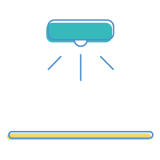
with your hardware setup
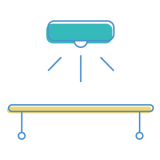
with your hardware setup

with your hardware setup

14 interactive applications included
Control which external services can process your data.
These features are essential for the proper functioning of the website and cannot be disabled.
Required for collecting aggregated statistics that help us understand how users interact with our site. Data is fully anonymous, contains no personal information, and we do not use cookies.
Allows analyzing traffic sources (where you came from), marketing campaign parameters (UTM), and navigation paths across subdomains. We use a cookie (7 days) to preserve this data.
Allows loading content from external services like YouTube or Vimeo.