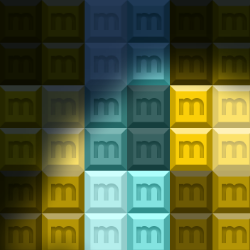
Foot movement interaction
on the floor surface
0,00 US$ IVA incluido 0%
Respondemos a las consultas en 1 día laborable — recibirás la oferta por correo electrónico.
¿Quieres comprar en línea ahora mismo? Solo necesitas una cuenta: inicia sesión o regístrate
Pagos en línea: tarjeta o PayPal. Los pedidos por correo electrónico y oferta también pueden pagarse por transferencia bancaria. Consulta más información sobre cómo pedir aplicaciones Motioncube.
Para satisfacer las necesidades de las agencias interactivas y los integradores multimedia, hemos preparado un conjunto de aplicaciones de prueba para su descarga gratuita.
Con su ayuda, podrá comprobar la configuración de su hardware y seleccionar el modo operativo óptimo. parámetros del programa Motioncube Player.
Este paquete le permite familiarizarse rápidamente con las capacidades tanto del software Motioncube como de las aplicaciones y plantillas mismas.
El paquete de prueba está disponible sin anuncios emergentes y sin límites de tiempo de juego.


on the floor surface

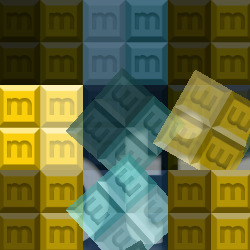
on the table and wall surfaces

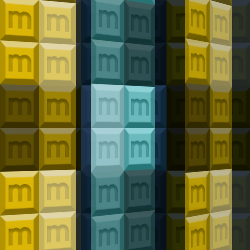
on the wall surface

with your hardware setup
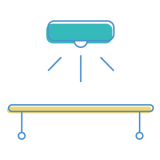
with your hardware setup

with your hardware setup

14 14 aplicaciones interactivas en el paquete
Controle qué servicios externos pueden procesar sus datos.
Estas funciones son esenciales para el correcto funcionamiento del sitio web y no se pueden desactivar.
Necesaria para recopilar estadísticas agregadas que ayudan a comprender cómo los usuarios utilizan nuestro sitio web. Los datos son completamente anónimos, no contienen información personal y no utilizamos cookies.
Permite analizar las fuentes de tráfico (de dónde llegó al sitio), los parámetros de campañas de marketing (UTM) y las rutas de navegación entre subdominios. Utilizamos una cookie (7 días) para conservar estos datos.
Permite cargar contenido de servicios externos como YouTube o Vimeo.